
|
Building Apps with LovablePublished July 27, 2025 Preamble before I talk about LovableThe beauty of having a blog that no one goes to is that I can lose my mind and do whatever I want without concern. No one is visiting, so I don’t have to explain why things are as wonky as they are. So, to my audience of one, I’m writing this post (and hopefully creating an associated YouTube video) to document my attempts to create an online app using Lovable. What is Lovable?Lovable is an app for creating apps, websites, games, and more. The beautiful thing about Lovable is you don’t have to know much or anything about coding (knowing how to program or code helps, but is not required). You don’t have to be a programmer or an engineer. Lovable is powered by Artificial Intelligence, and the AI agent “speaks” in non-technical terms. For example, you can say or type whatever you’re trying to build, and it will “chat” with you to create what you want. It sounds too good to be true for this grandma noob! Before I go too deep into Lovable, I must let you know that Lovable isn’t the only such app. There’s Replit, Bolt, Cursor, Windsurf, and more. Each of these apps uses AI to help the non-coder code. Some apps, such as Lovable, are more user-friendly for newbies, while apps like Cursor and Windsurf require more (sometimes much more) programming knowledge. However, they all use AI agents to help folks like me. My First Project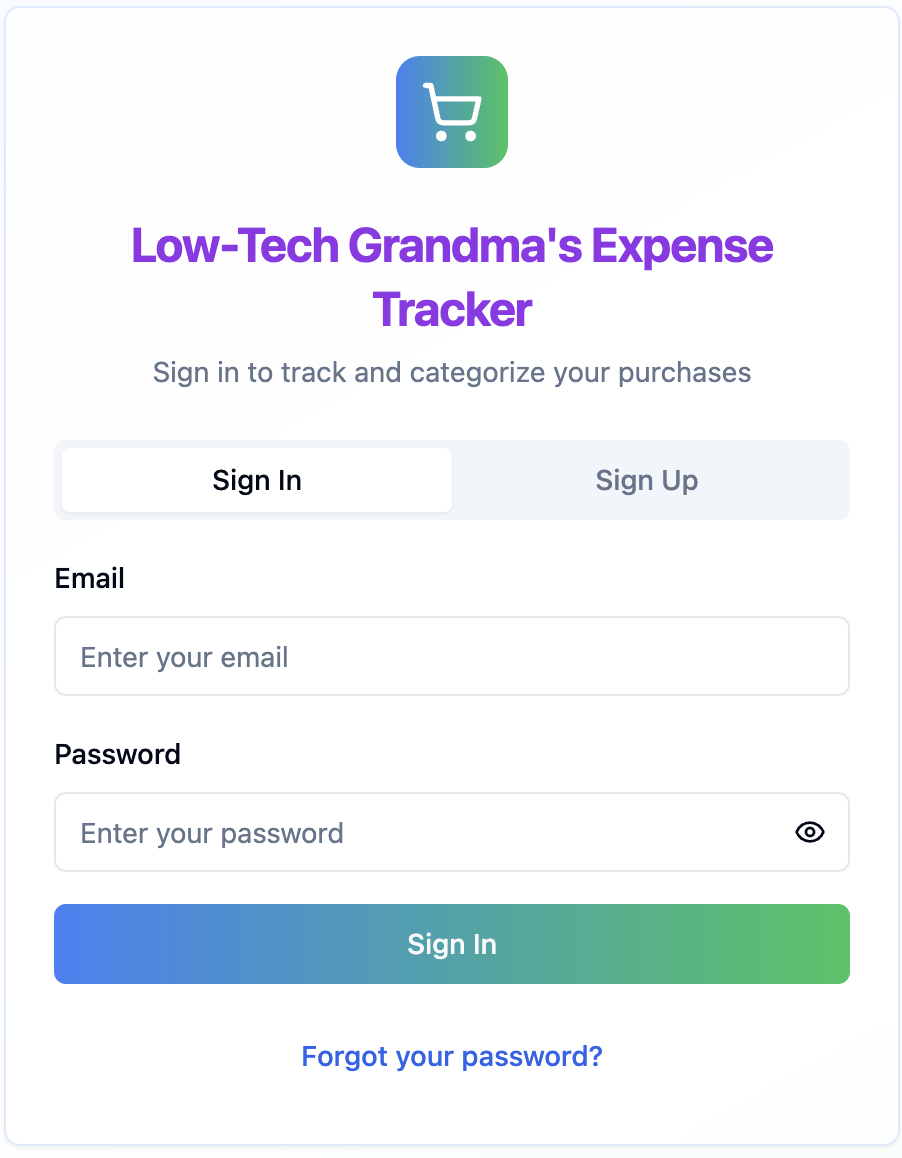
After watching several YouTube videos created by folks touting how easy it is to create an app from start to finish in minutes/hours, I decided to give it a try. As mentioned above, Lovable is probably the most user-friendly for a beginner, and thus I chose it. Let me tell you this, however: creating an app from start to finish isn’t as simple as they say. Yes, it’s much easier than hiring a software development team, but there are a host of things these YouTubers didn’t mention. I outline some of them below:


 When I first watched the YouTubers, I attacked Lovable with the intent of having a functioning app by the end of the day. Boy, was I wrong. Every time I submitted a chat or request to the AI, it cost a credit or partial credit. With Lovable, you’re given five free credits a day. Having chewed through the five daily credits, I decided to purchase the cheapest monthly plan. The most affordable plan is $25 per month, which includes 100 credits. So, with the five daily credits plus the 100 credits, in a 30-day month, you can use 250 credits. That sounds like a lot, but a newbie like me blew through the 100 credits in less than a week. That caused me to slow things down and use the five daily credits for the rest of the month to fix things. Slow and SteadyHaving devoured the 100 credits so quickly taught me a few lessons. The slower pace of five credits a day forced me to think, plan, and become better organized. That’s a lesson I probably wouldn’t have learned so quickly if I had an unlimited amount of credits. Also, I learned that sometimes it takes the full five free credits to fix programming issues. So, the process of building an app is not as quick as some YouTubers make it seem to be. Perhaps if I were more knowledgeable about coding and programming, that wouldn’t be the case, but I’m not, and that is the case. A Learning ExperienceAll in all, I’m not complaining. I’m learning and I’m making progress. My app is costing me significantly less than it would have if I had hired programmers. My app is not as polished or complicated as it might have been if I had hired professional developers, but that’s the cost of being a novice. I have to start somewhere. In addition to learning how to prompt AI, I’m practicing my requirements writing skills. By writing the proper requirements, I can get the app built the way I want. Additionally, I can also look under the hood at the code to pick up breadcrumbs of coding knowledge. Felicia (aka Low Tech Grandma) is a wife, mother, grandmother, freelance writer and low-tech blogger. Last Modified: 3 November 2026 |
|
Home | Site Map
© Low-Tech Grandma 2026 |