
|
Arteck HB342 Bluetooth Keyboard Case for iPad MiniPublished February 5, 2025 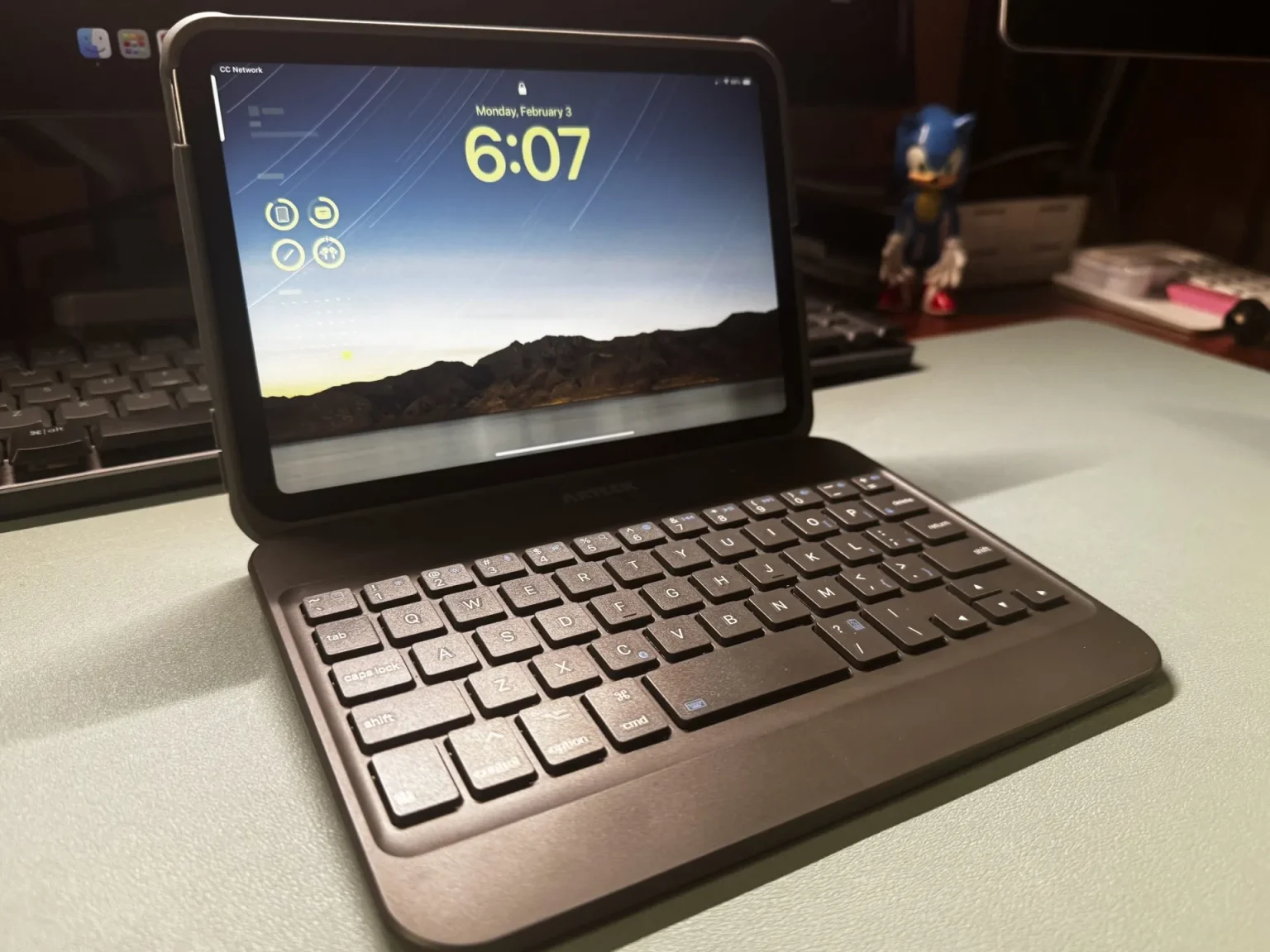 I recently treated myself to the Arteck HB342 Bluetooth Keyboard Case for my iPad Mini. The case is designed to fit the Mini 6 and the newer Mini 7. I bought it because I was looking for a case with a keyboard that was durable enough to toss into my backpack and take on trips. This case seemed like a great pick because it not only had a keyboard, but it looked sturdy. Plus, I could detach the keyboard if I wanted to use the Mini in tablet mode. Here’s my take on the Arteck HB342 Keyboard case for the iPad Mini. Design and Build QualityThe Arteck’s clamshell case is made from a durable plastic material, so it feels tough enough to handle daily jostling and bumps that come along with daily use. The case consists of sections, the keyboard, and the protective tablet case. They’re held together by magnets, and the tablet section has an indentation for the Apple Pencil. Best of all, the mini fits perfectly and securely into the case.  If you opt to get this keyboard, be aware that it will add weight to your mini. My iPad Mini weighs 10.6 oz. The Arteck case tips the scale at 15.4 oz. So, you’re more than doubling the weight of your device. Keyboard FunctionalityHere’s where things get tricky. The keyboard layout is compact, so the keys are closer together than a standard keyboard, which I expected. But what I didn’t expect was the position of certain keys. For example, the apostrophe key sits on the “L” key. To type an apostrophe, you must simultaneously press the “fn” and “L” keys. Similarly, the quotation key is on the :/; key. The brackets are also curiously placed, but I infrequently use them, so that’s not an issue. However, for someone like me who uses apostrophes a lot, its “L” key location is a deal breaker.  On the upside, the keyboard has the Apple Control, Option, and Command keys, making it easy to use iOS shortcuts. Typing on this keyboard isn’t the most pleasurable experience. The plastic keys feel slippery, and combined with the smaller keyboard layout size, it takes a bit to get used to typing on it. Additionally, since the keyboard must be charged and set to the “On” position to use it, I thought the keys might have backlighting. They don’t. On the plus side, connecting the keyboard to the iPad via Bluetooth is easy. UsabilityInserting the iPad into the case is simple and stays put once it’s in place. The problem I had with using the case in laptop mode was the narrow angle. According to the wording on Amazon, the Arteck case is “multi-angle.” It is, but not “multi” enough for me. I wanted the case to open wider. The case tipped over in my attempts to adjust it to improve my viewing angle. Pros and ConsWhat I Liked:
What I Didn’t Like:
Final ThoughtsI think Arteck makes solid products, and this case is no exception when it comes to durability and protection. At less than $50, the price is fair for what you’re getting. If you’re not a touch typist, this case might work for you. But then again, if you’re not a touch typist, I don’t see the value in buying a case with a keyboard. For someone who types a lot, like me, the keyboard quirks were a deal breaker. I had to return it. Felicia (aka Low Tech Grandma) is a wife, mother, grandmother, freelance writer and low-tech blogger. Last Modified: 5 November 2026 |
|
Home | Site Map
© Low-Tech Grandma 2026 |